Builder: Conversions
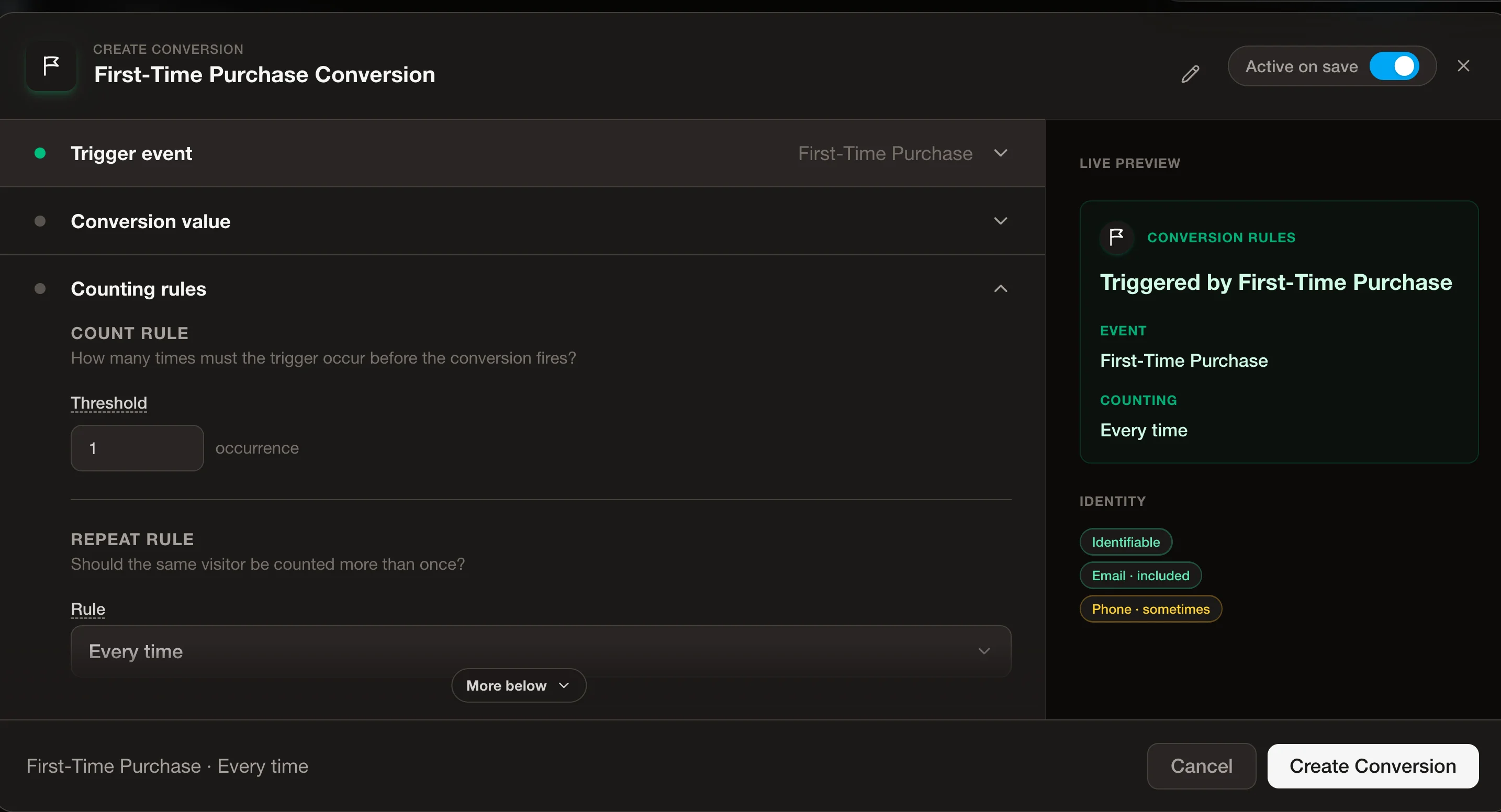
Conversions define outcomes that should be counted. A Conversion is triggered by one Event, then applies counting, deduplication, value, and optional active date rules.
Use conversions for business outcomes, not every useful behavior. Examples: purchase, first-time purchase, qualified lead, demo booked, closed-won deal, or newsletter signup.
For related overview docs, see Revenue sources and reconciliation and Reading dashboard KPIs.
How conversions are built
| Field | Meaning |
|---|---|
| Trigger | The Event that counts as the conversion. |
| Deduplication | Whether to count every occurrence, one per session, one per user, or within a time window. |
| Count rule | Optional "at least N" logic. |
| Value | Fixed value or event-derived value, with account/base currency. |
| Start/end dates | Optional active reporting window. |
Current conversion value support includes fixed amount and event value.
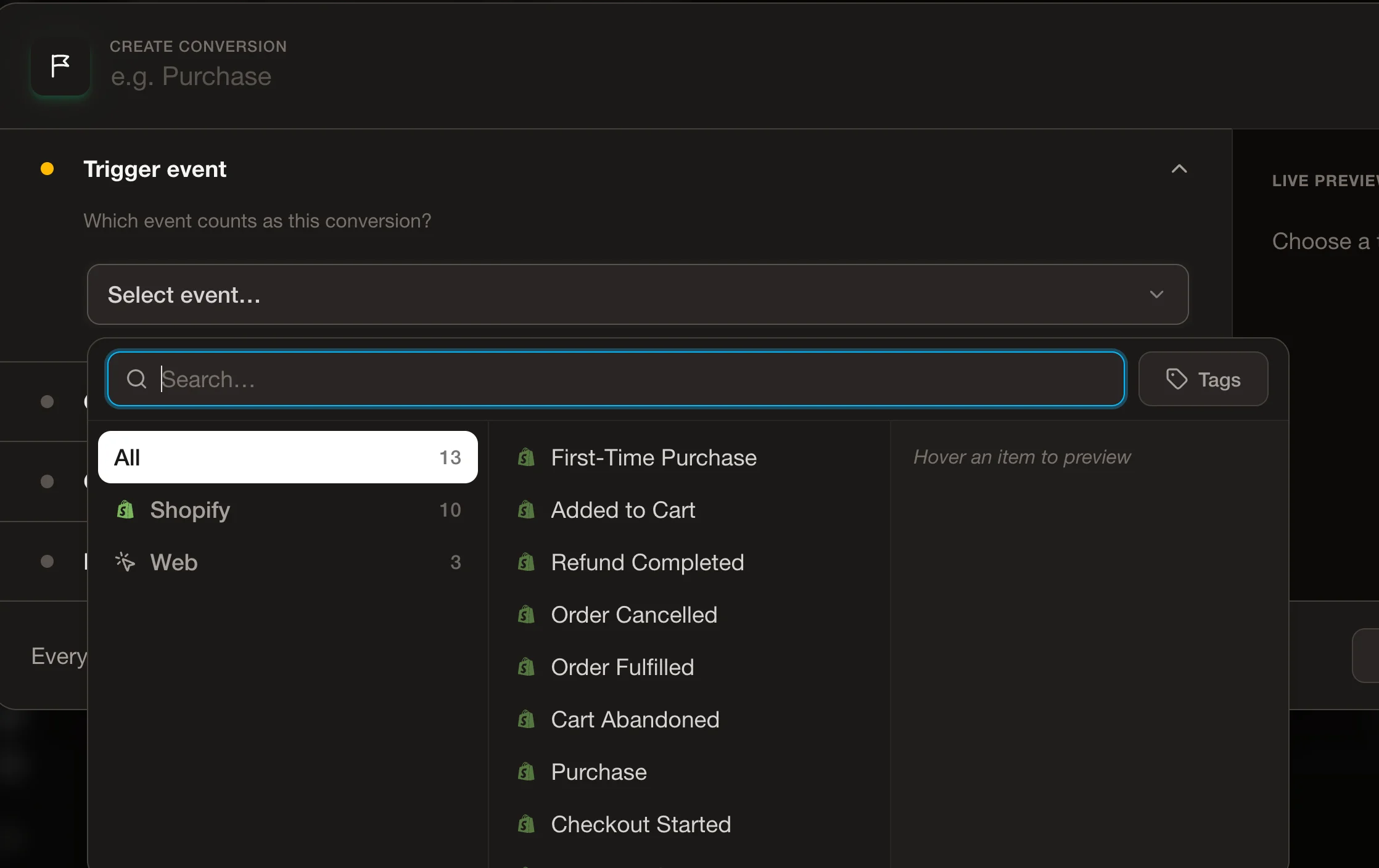
Conversion flow
A conversion turns one observed event into a counted business outcome. Other Builder objects can then use that outcome for reporting, audiences, flow logic, and downstream actions.
Keep the distinction clear: the Event says what happened; the Conversion says whether that event should count as an outcome and what value it should carry.
Conversion examples
| Conversion | Trigger | Value interpretation |
|---|---|---|
| Purchase | Shopify completed checkout or Purchase event. | Reads real order value where available. |
| First-Time Purchase | First-time purchase event. | New-customer acquisition value. |
| Add to Cart | Added to Cart event. | Micro-conversion; often fixed or diagnostic. |
| Newsletter Signup | Email Signup event. | Lead/list-growth value, often fixed. |
| Qualified Lead | Contact Form Submitted event. | Lead-generation value. |
| Closed Won | CRM Deal Won event. | CRM revenue or configured business value. |
Good conversions represent meaningful business outcomes. Bad conversions are ambiguous, duplicated, or too broad for optimization.
Template ideas and use cases
Use conversion templates when the business outcome is common enough that the trigger, value, and deduplication rules should be standardized.
| Use case | Conversion template | Trigger event | Usually feeds |
|---|---|---|---|
| Purchase optimization | Purchase | Purchase or completed checkout. | CAPI action, buyer segment, reporting. |
| New-customer acquisition | First-Time Purchase | First-time purchase event. | New customer reporting and prospecting CAPI. |
| High-value customer growth | High-Value Purchase | Purchase above an order-value rule. | VIP segment, value-based audience, lookalike. |
| Cart-intent optimization | Add to Cart | Add to Cart event. | Intent CAPI and cart-abandonment flow. |
| Lead generation | Qualified Lead | Form submission or qualified CRM lead. | Lead CAPI, CRM update, sales follow-up. |
| Demo motion | Demo Booked | Demo booking or meeting booked event. | Pipeline reporting and sales/lifecycle action. |
| Offline revenue feedback | Closed Won | CRM deal won or closed-won event. | Offline CAPI and customer suppression. |
Templates should still be reviewed before activation. The key checks are: does the trigger mean the business outcome, should it count once or every time, and does the event carry the value and identity needed downstream?
Conversions list columns
The Conversions table has these columns: Name, Identity, Trigger, Source, Value, Status, Created. Connection chips and tags appear inside the Name cell.
| Column or badge | Meaning |
|---|---|
| Name | Definition name; the cell also carries tags and a connections chip. |
| Identity | Identity available on the trigger event. |
| Trigger | The event that causes the conversion to fire. |
| Source | The trigger event's source: Web, Shopify/ecommerce, or CRM. |
| Value | The configured value: fixed amount or event-derived value, with currency. |
| Status | Active, Inactive, or Archived. |
| Created | Creation date and creator. |
| Connections chip | In the Name cell, shows Segments, Flows, and Actions that depend on the conversion. |
| Tags | In the Name cell, user-managed organization tags. |
Reporting calculations
The Conversion page reads the active conversion definitions and reports:
| Metric | Meaning |
|---|---|
| Conversion count | Number of counted conversion occurrences after the definition's rules apply. |
| Unique users converted | Distinct principals/users with at least one conversion. |
| Total conversion value | Sum of conversion value across counted conversions. |
| Value per conversion | Total conversion value divided by conversion count. |
| Conversion rate | Conversion count divided by sessions in the selected period. |
| Avg days to conversion | Average elapsed time from journey start to conversion. |
| Avg sessions to conversion | Average number of sessions from journey start to conversion. |
Because conversion rate uses sessions as the denominator, it can move when traffic volume changes even if the conversion definition itself has not changed.
How conversions affect the platform
Conversions sit between raw Events and action-oriented objects:
- Segments can include or exclude users based on conversion behavior.
- Flows can use conversions as goals, branches, or exits.
- Actions can use conversions to decide which signal to send downstream.
- Conversion reporting uses the definitions configured here.
Example: a Purchase conversion connected to a Send Purchase CAPI action
means the conversion definition supplies the business outcome and value, while
the action decides where to send it. For the full server-side event workflow,
see Kleerr CAPI overview.
Audit checklist
If a conversion number looks wrong, check:
- the trigger event and whether its event volume changed;
- deduplication mode;
- count rule;
- active start and end dates;
- fixed versus event-derived value;
- connected segments, flows, and actions;
- whether the source event carries the identity or value needed for the use case.