Updated July 11, 2026.
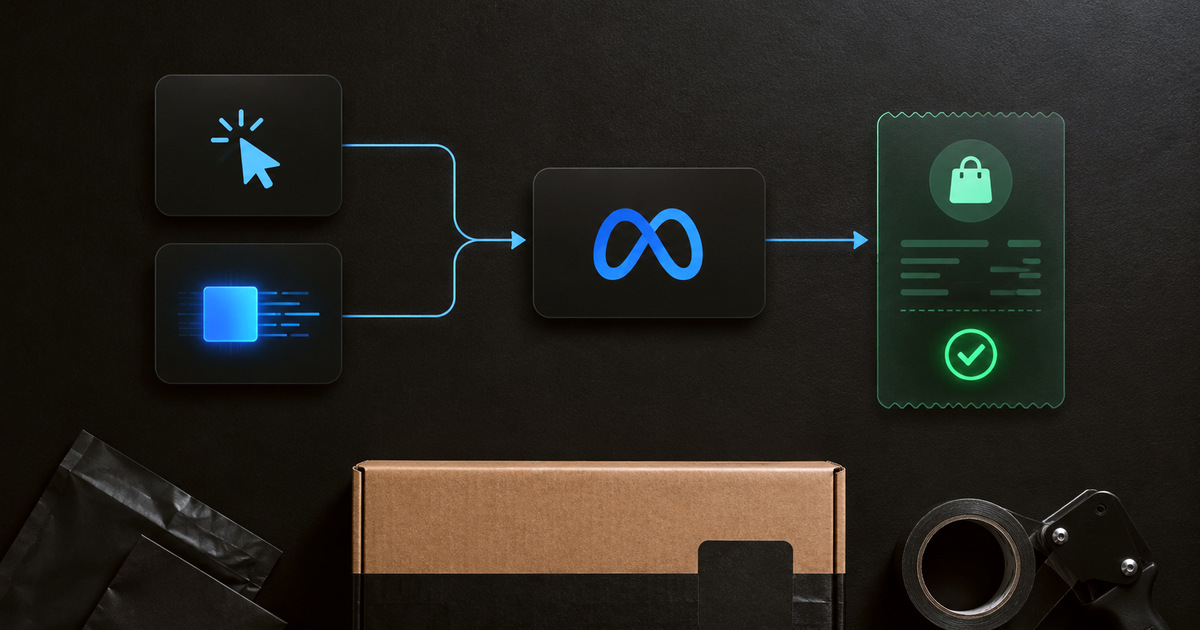
If you are searching for how to setup conversions api on facebook, the short answer is simple: send key customer events from your server to Meta, match those events to Pixel activity, deduplicate shared events, then compare Meta reporting against Shopify orders before moving budget.
TL;DR
> - Facebook Conversions API, often called Meta CAPI, sends server-side event data to Meta.
> - A clean setup sends browser Pixel and server CAPI events with matching `event_name` and `event_id`.
> - CAPI improves event delivery and matching. CAPI does not prove Meta created the order.
> - Shopify DTC brands should verify Meta-reported revenue against Shopify orders before scaling spend.
What is Facebook Conversions API?
Facebook Conversions API is Meta's server-side event connection for sending marketing data from a server, ecommerce platform, or partner tool to Meta systems. For Shopify DTC brands in 2026, Meta CAPI helps recover cleaner purchase, lead, and checkout signals when browser tracking loses data, but it does not replace revenue verification.
Meta describes Conversions API as a way to send marketing data directly from a server connection to Meta, according to Meta's Conversions API documentation.
The browser Pixel still matters.
Meta Pixel sends browser-side events. Meta CAPI sends server-side events. Many ecommerce setups use both because each layer sees different signal.
For a Shopify team, the goal is not "more events." The goal is cleaner events tied to real business actions.
| Layer | What the layer does | What the layer does not prove |
|---|---|---|
| Meta Pixel | Sends browser events from the shopper's device | That every event fired or matched |
| Meta CAPI | Sends server events from a backend or partner setup | That Meta created the order |
| Deduplication | Helps Meta count matching browser and server events once | That Meta ROAS equals Shopify revenue |
| Verified revenue audit | Compares platform claims against real orders | That every future spend change caused lift |
Why is CAPI better than Pixel?
CAPI is better than Pixel for durable conversion-event delivery because it sends data from a server connection instead of depending entirely on the shopper's browser. Browser scripts can be blocked, delayed, interrupted by page behavior, or lose identifiers. A server event can stay closer to the completed business action.
That does not make CAPI universally “more accurate.” Accuracy depends on the event trigger, payload, deduplication, purchase value, and order reconciliation. A badly configured server event is still bad data.
| Question | Meta Pixel | Conversions API |
|---|---|---|
| Where does the event originate? | Shopper's browser | Server, ecommerce platform, CRM, or partner connection |
| Main strength | Browser context and on-site behavior | More resilient delivery of important conversion events |
| Common failure | Blocked scripts, lost cookies, page-trigger problems | Wrong payload, trigger, value, or deduplication setup |
| Does it prove Meta caused the order? | No | No |
| Does it replace Shopify revenue checks? | No | No |
For most Shopify teams, the right setup is Pixel and CAPI, not Pixel or CAPI. Pixel contributes browser context. CAPI provides a server path for important actions such as purchases. When both report the same action, matching `event_name` and `event_id` values let Meta treat the pair as one event.
The distinction is important:
- CAPI can improve signal delivery.
- Deduplication can improve event counting.
- Neither step makes Meta a neutral judge of Google, email, SMS, direct traffic, refunds, or repeat buyers.
- Shopify order reconciliation remains the revenue check before a cross-channel budget move.
So the useful answer to “why is CAPI better than Pixel?” is narrow: CAPI is better at reducing dependence on the browser. It is not a replacement for Pixel, attribution, or verified revenue.
How to setup conversions api on facebook?
To setup Conversions API on Facebook in 2026, choose the customer events, create or use a server event source, send required event fields to Meta, match Pixel and CAPI events with shared IDs, test delivery in Meta, then reconcile reported purchases against Shopify orders before using Meta ROAS to move budget.
Use this setup order:
- Choose the conversion events. Start with `Purchase`, `InitiateCheckout`, `AddToCart`, and `Lead` if those events drive optimization or reporting.
- Confirm the business trigger. A Shopify purchase event should fire from the completed order, not from a page reload or loose tag trigger.
- Create the server connection. Use a direct API build, Shopify partner integration, server-side Google Tag Manager, or a managed server-side provider.
- Send the required event fields. Meta documents server event fields such as `event_name`, `event_time`, `action_source`, and `user_data` in its server event parameters reference.
- Send customer match data where consent allows. Meta documents customer information parameters such as email, phone, client IP address, user agent, `fbp`, and `fbc` in its customer information parameters reference.
- Deduplicate browser and server events. Send the same event name and event ID when Pixel and CAPI describe the same action.
- Test event quality. Confirm Meta receives the server events, then compare purchase counts and values against Shopify.
- Audit the budget decision. Treat Meta reporting as a platform view. Use Shopify orders as the revenue ledger.
The best Shopify setup is boring.
One real purchase should create one real purchase event. Meta should receive clean match data. Shopify should remain the source of truth for completed orders.
What fields does Meta CAPI need?
Meta CAPI needs a server event payload that describes the action, time, source, and customer match data. For Shopify purchase events in 2026, the practical minimum is a clean event name, event time, action source, customer identifiers, value, currency, and order-linked event ID for deduplication.
The fields below matter most for ecommerce teams:
| Field | Example | Why Shopify teams need the field |
|---|---|---|
event_name | Purchase | Tells Meta what action happened |
event_time | Unix timestamp | Tells Meta when the action happened |
action_source | website | Tells Meta where the action happened |
event_id | Order-linked unique ID | Supports Pixel and CAPI deduplication |
user_data | Hashed email, phone, IP, user agent | Helps Meta match the event to a user |
custom_data | Value, currency, order content | Carries purchase value and context |
Meta's parameter references explain the expected structure for server events and customer information parameters.
For Shopify DTC brands, purchase value deserves special care.
If the purchase value sent to Meta differs from the completed Shopify order value, Meta reporting can look precise while the finance view disagrees. Decide whether revenue should be gross, net, refund-adjusted, or discount-adjusted in the reporting layer before using ROAS to move budget.
How do you deduplicate Facebook Pixel and Conversions API events?
Meta deduplicates matching browser and server events when the Pixel event and CAPI event share the same event name and event ID. For Shopify brands in 2026, each purchase should use one unique ID across both browser and server versions of the same completed order.
Meta documents deduplication for Pixel and server events using matching `event_name` and `event_id` in its deduplication documentation.
A clean purchase setup looks like this:
| Field | Browser Pixel | Meta CAPI | Clean result |
|---|---|---|---|
event_name | Purchase | Purchase | Meta sees the same event type |
event_id | Unique order event ID | Same unique order event ID | Meta can collapse the duplicate |
| Value | Intended purchase value | Same intended purchase value | Reporting stays consistent |
| Trigger | Completed order | Completed order | One business action drives both |
Do not treat customer match data as a deduplication replacement.
Email, phone, `fbp`, and `fbc` help Meta match events to people. The shared `event_id` is the clean way to tell Meta that two event messages describe the same customer action.
What mistakes break Facebook Conversions API setup?
Facebook Conversions API setup breaks when Meta receives duplicate, mismatched, delayed, or poorly defined events. For Shopify DTC brands in 2026, the highest-risk mistakes are duplicate purchase triggers, missing event IDs, mismatched Pixel and CAPI names, wrong purchase values, and budget decisions made from Meta reporting alone.
Use this QA table before trusting ROAS:
| Mistake | What happens | How to fix the mistake |
|---|---|---|
| Pixel and CAPI use different event IDs | Meta may count two purchases | Send the same event_id for the same action |
| Event names do not match | Deduplication can fail | Match names exactly |
| Purchase fires on page reload | One order can become multiple events | Tie purchase events to the order ID |
| Server sends gross value but reporting uses net revenue | ROAS drifts from Shopify finance | Define revenue logic before reporting |
| CAPI sends low-quality events | Meta optimizes on weak signal | Send only events tied to real business actions |
| Team trusts Meta ROAS without reconciliation | Budget can move toward the wrong channel | Compare Meta claims against Shopify orders |
Small tracking changes can create large reporting changes.
Theme edits, checkout changes, tracking apps, tag manager rules, and partner integrations can all change event behavior. Shopify teams should retest purchase events after any change that touches checkout, analytics, or server-side tracking.
What is stape facebook conversion api?
Stape Facebook Conversion API refers to using Stape as part of a server-side tracking setup that sends Facebook or Meta conversion events from a server container to Meta. For Shopify teams in 2026, Stape can reduce engineering work, but Stape still needs clean event design, deduplication, and revenue QA.
Stape publishes its own Facebook Conversions API setup guide, so Shopify teams using Stape should follow Stape's current product instructions instead of copying a generic tag template.
The decision is build versus manage.
A direct Meta CAPI build gives more control. A managed server-side path can be faster to launch. A server-side Google Tag Manager setup sits between those options.
| Setup path | Best fit | Main trade-off |
|---|---|---|
| Direct Meta CAPI build | Team has engineering support | More control, more build work |
| Shopify or partner integration | Team wants faster setup | Less custom control |
| Stape plus server-side tagging | Team wants managed server infrastructure | Needs careful tag and event QA |
| Attribution platform plus verification | Team wants event QA and revenue checks | Depends on platform scope and data model |
The tool does not fix the strategy.
Stape can help deliver server events. Meta can receive server events. Shopify still needs a trusted revenue check before the growth team uses Meta-reported ROAS to scale or cut spend.
Is Facebook CAPI enough to trust Meta ROAS?
Facebook CAPI is not enough to trust Meta ROAS for Shopify budget decisions in 2026. Meta CAPI can improve event delivery and matching inside Meta, which is faster than building a full measurement layer. Verified Shopify revenue still wins when the decision is where the next dollar goes.
The honest trade-off matters.
Meta's platform reporting is useful because Meta reporting is native, fast, and close to campaign controls. A growth lead can check results, adjust bids, and ship changes without another system.
That speed has a limit.
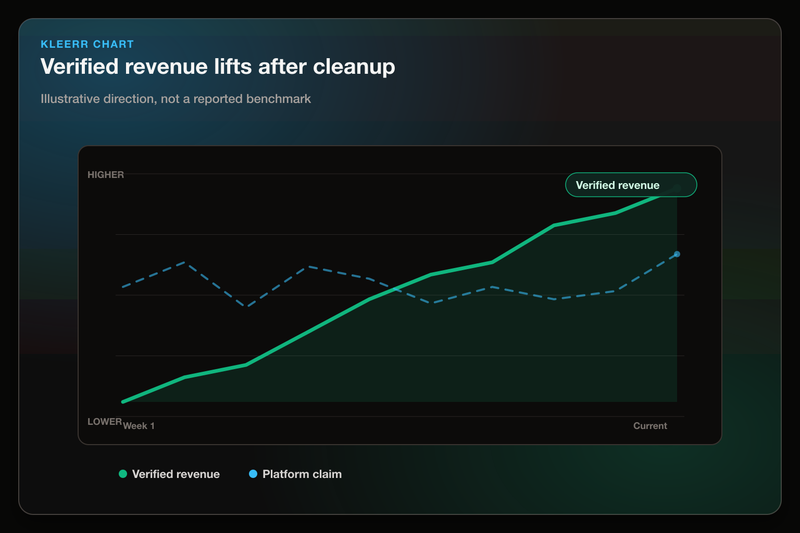
Meta grades Meta's own media. Meta does not provide a neutral view of Google, email, SMS, direct traffic, organic touchpoints, refunds, and repeat buyers. A Shopify DTC brand needs that broader view when the question is allocation, not event delivery.
In one Shopify audit from May 2026, Kleerr found Platform 1 claimed 5.4x ROAS, while verified Shopify revenue showed 1.2x. Platform 2 moved the other way: it claimed 6.10x ROAS, while verified revenue showed 8.83x. That is one client, not a category benchmark, but the Kleerr audit shows why clean event setup still needs revenue verification.
Our take: use Meta CAPI for better signal delivery. Use verified ecommerce revenue for budget decisions.
Want the revenue check after CAPI QA? Start with Kleerr's free marketing data audit to compare platform-reported performance against verified ecommerce revenue before changing spend.
What should Shopify teams check after Facebook CAPI is live?
After Facebook CAPI is live, Shopify teams should check event delivery, deduplication, purchase value, customer match quality, and revenue reconciliation. For Shopify DTC brands doing $10M to $50M in 2026, the goal is not a cleaner Meta dashboard. The goal is a better spend decision.
Use this checklist:
- [ ] Meta receives the server purchase event.
- [ ] Meta receives the browser purchase event when Pixel is active.
- [ ] Pixel and CAPI purchase events share the same `event_name`.
- [ ] Pixel and CAPI purchase events share the same `event_id`.
- [ ] One Shopify order creates one purchase event pair.
- [ ] The event value matches the intended Shopify revenue value.
- [ ] Test orders match Meta event diagnostics.
- [ ] Refunds and cancellations are handled in reporting.
- [ ] New and returning customers are split before CAC analysis.
- [ ] Meta-reported revenue is compared against verified Shopify orders.
Kleerr's platform is built around the same split: improve the quality of the signals used by marketing channels while keeping reporting tied to a deduped source of truth.
How should Facebook CAPI fit into Shopify attribution?
Facebook CAPI should sit inside a wider Shopify attribution process, not replace the process. For Shopify DTC brands in 2026, Meta CAPI improves the input signal for Meta. A verified attribution layer compares Meta's claim against Shopify orders, refunds, repeat buyers, and other channels.
Think of the measurement stack in layers:
| Layer | Question answered | Owner |
|---|---|---|
| Event delivery | Did Meta receive the event? | Meta Pixel and CAPI |
| Deduplication | Did Meta count the event once? | Meta event setup |
| Platform reporting | What does Meta claim? | Meta Ads Manager |
| Revenue verification | What did Shopify record? | Shopify plus audit layer |
| Budget decision | Where should the next dollar move? | Growth team |
This order prevents a common mistake.
A team can have clean CAPI and still make a bad budget call. Event delivery answers whether Meta received better data. Attribution answers whether Meta deserved the revenue credit. Budget allocation answers what the growth team should do next.
For a Shopify operator, the final question is not "did CAPI fire?" The final question is "which channel gets the next $10,000?"
FAQ: How to Setup Conversions API on Facebook
Facebook Conversions API setup is easiest to understand as event plumbing, not a full attribution strategy. For Shopify DTC teams in 2026, Meta CAPI sends server-side events to Meta, deduplication keeps matching Pixel and CAPI events clean, and Shopify revenue verification checks whether reported performance deserves budget.
Do I need both Facebook Pixel and Conversions API?
For Shopify DTC teams in 2026, many ecommerce setups use both Meta Pixel and Meta CAPI. Meta Pixel sends browser-side events, while Meta CAPI sends server-side events. When both send the same event, the setup needs deduplication with a shared event name and event ID.
Does Facebook CAPI replace Shopify as the source of truth?
For Shopify DTC teams in 2026, no. Shopify remains the order system for completed purchases. Meta CAPI sends event data to Meta for matching, reporting, and optimization. A Shopify team should still reconcile Meta-reported purchases and revenue against Shopify orders.
Is CAPI more accurate than Pixel?
CAPI can deliver purchase events more reliably because it depends less on browser scripts. It is only as accurate as its trigger, payload, deduplication, and order match. A server event with the wrong value or business trigger is not more accurate merely because it came from the server.
Does CAPI replace the Pixel?
Usually not. Pixel provides browser context and CAPI provides a server event path. Most Shopify setups benefit from using both, then deduplicating matching events with the same event name and event ID.
What is the most important event for Shopify CAPI?
For Shopify DTC teams in 2026, `Purchase` is the most important Shopify CAPI event because purchase events affect ROAS, CAC, and budget decisions. Shopify teams should anchor purchase events to completed orders, not page views, checkout visits, or thank-you page reloads.
What is the difference between event ID and fbp or fbc?
For Shopify DTC teams in 2026, `event_id` helps Meta deduplicate browser and server versions of the same event. `fbp` and `fbc` help Meta with user and click matching. Customer match fields improve matching quality, but customer match fields do not replace the deduplication key.
Can Stape set up Facebook Conversion API for Shopify?
For Shopify DTC teams in 2026, Stape can be part of a server-side setup for sending Meta conversion events, and Stape publishes setup guidance for Facebook Conversions API. A Shopify team using Stape should still QA event IDs, purchase values, deduplication, and Shopify revenue reconciliation.
Is Facebook CAPI a marketing attribution tool?
For Shopify DTC teams in 2026, no. Facebook CAPI is a server-side event connection for Meta. Marketing attribution compares channel claims against revenue outcomes. A Shopify team can use Meta CAPI for better signal delivery and still need verified attribution for budget allocation.
Ready to verify what Facebook CAPI is reporting?
If Facebook CAPI is live but Meta ROAS still drives budget debates, the next step is revenue verification. Compare Meta's self-reported performance against Shopify orders, then decide what to scale, hold, or cut from the verified read.
For Shopify DTC teams, Kleerr helps audit platform claims against real ecommerce revenue and turn that gap into clearer budget and audience decisions. See how Kleerr works for ecommerce teams.
About the author
Daniel Pisterzi owns the Kleerr content brief and leads Kleerr's marketing analytics positioning. Daniel writes from Kleerr's work auditing Shopify ad data, comparing platform-reported performance to verified store revenue, and translating those gaps into clearer budget and audience decisions for operators.