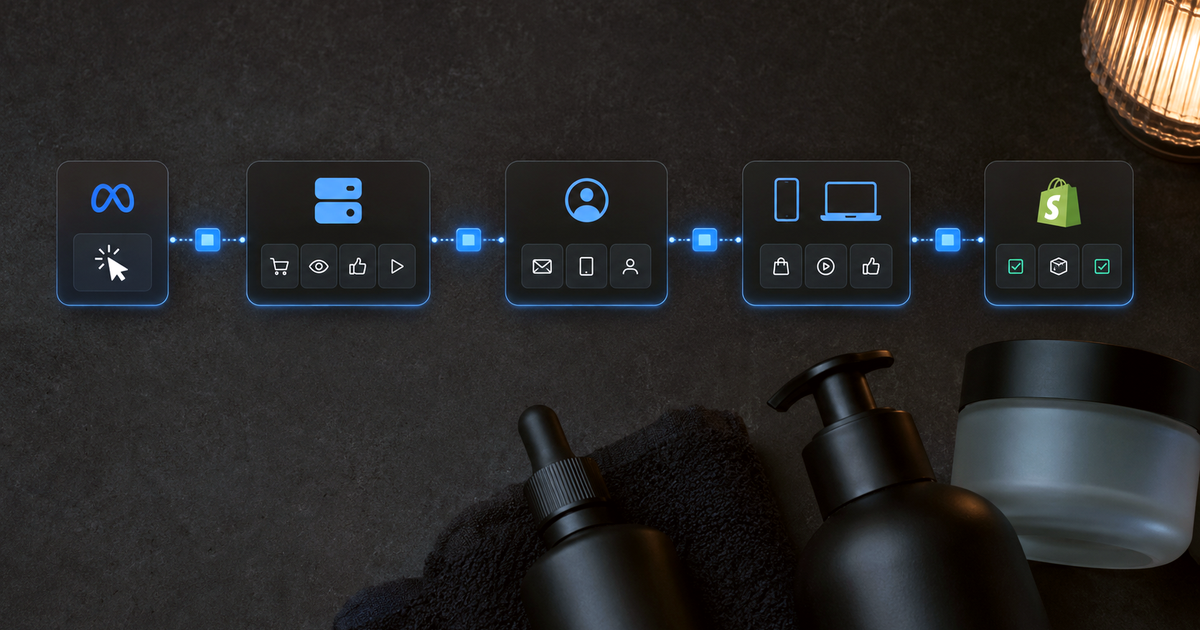
Server side tracking helps you stop overpaying for orders when browser-based data makes the wrong channel look like the winner. It moves part of measurement from the browser to a server you control, where events can be cleaned, governed, and routed before they reach analytics or marketing tools (Google Tag Manager server-side docs).
Last updated: July 3, 2026.
TL;DR
> - Server side tracking routes events through a server you control before they reach analytics or marketing tools.
> - GA4 server-side tracking sends GA4 events through a server-side Tag Manager container before they reach Google Analytics.
> - The business value is not cleaner tags. It is cleaner budget decisions: self-reported vs. verified, suppression, CAC, and which channel gets the next dollar.
> - Server side tracking does not replace consent, order reconciliation, or incrementality testing.

What is server side tracking?
Server side tracking is a measurement setup where your site sends event data to a server first, then that server sends cleaned events to tools like GA4, ad platforms, and internal reporting. The goal is better control over data quality, consent handling, routing, and what each platform receives.
Google's server-side tagging course describes client-side tagging as tags executed on the user's device and server-side tagging as tags executed on a server. It also explains that a Tag Manager server container uses clients, tags, triggers, and variables to receive HTTP requests and turn them into usable events (Google server-side tagging fundamentals).
For Shopify DTC teams, the key point is simple. Server side tracking is not just a technical upgrade. It is a way to stop making budget calls from partial browser data.
How is server side tracking vs client side tracking different?
Server side tracking adds a controlled server layer between the shopper and your marketing tools. Client side tracking runs in the browser first. Google says server-side tagging can complement client-side tagging by adding more control over what vendors receive, while some browser or app tags still collect on-page activity (Google server-side tagging fundamentals).
| Setup | Where the event is handled | What it is good for | Watch-out |
|---|---|---|---|
| Client-side tracking | Browser | Fast setup, simple tags, basic analytics | More exposed to browser limits and script failures |
| Server side tracking | Server you control | Data control, event cleanup, routing, consent logic | More setup, QA, and governance |
| Backend event tracking | Ecommerce or app backend | Purchases, refunds, subscriptions, account events | Needs clean IDs to match web sessions |
This is not an either-or choice. Many ecommerce setups use the browser to start the event, the server to control what happens next, and the backend to confirm purchases, refunds, and customer state.
Why does server side tracking matter for Shopify DTC brands?
Server side tracking matters because bad browser data turns into bad budget decisions. If GA4 loses source data, or an ad platform claims easy orders from shoppers who were already going to buy, a growth team can scale the wrong channel, cut the right one, or overpay for repeat buyers.
In one Shopify audit, GA4 bucketed 42% of all traffic as `Unassigned`. Kleerr recovered 93% of that traffic from UTMs, click IDs, referrers, and session history. This was one audit, not a category benchmark (Kleerr Shopify audit).
That is the wound. The issue is not that a tag fired or failed. The issue is that a channel can look weak or strong for the wrong reason.
Server side tracking helps with the input. Verification handles the decision. A clean event stream still needs to be reconciled against real orders before you move budget.
Not sure how much signal you're losing? Run the signal loss checker to see where source data drops off before you rebuild the tracking stack.
How does server side tracking work?
Server side tracking works by moving the collection endpoint away from the browser and into a tagging server. The browser, app, or backend sends events to that endpoint. The server receives the request, checks consent and IDs, controls the payload, and forwards approved event data downstream.
Google documents routing data through a server-side implementation via Tag Manager or `gtag.js`, including the `server_container_url` option for Google tag setups (send data to server-side Tag Manager).
Google also documents transformations, which let server-side Tag Manager users include, exclude, or modify event parameters before tags can use them (server-side transformations).
A basic flow looks like this:
- A shopper lands on your store from an ad, email, search result, or direct visit.
- Your site captures source data, click IDs, session data, and event data.
- The browser sends the event to your server endpoint.
- The server checks the event, consent state, IDs, and payload.
- The server sends the allowed event data to GA4, ad platforms, and reporting tools.
- Your reporting layer reconciles those events against orders, refunds, and customer state.
The last step matters most. Sending cleaner data to a platform is useful. Knowing which platform-claimed revenue matched real orders is the decision layer.
What is GA4 server-side tracking?
GA4 server-side tracking means GA4 events are routed through a server-side Tag Manager container before they reach Google Analytics. Google's setup guide shows a built-in Google Analytics: GA4 client receiving incoming GA4 requests, creating event data, and using a GA4 tag to send events onward (GA4 server-side setup guide).
There are two common GA4 server-side paths:
| Path | What it does | Best use |
|---|---|---|
| GA4 web events through server-side GTM | Routes browser events to a server container first | Pageviews, sessions, product views, cart events |
| GA4 Measurement Protocol | Sends events directly to GA4 through HTTP requests | Server-to-server or offline events |
Google's Measurement Protocol can record server-to-server and offline interactions, but Google says it is meant to supplement automatic collection methods, not replace them (GA4 Measurement Protocol docs).
For ecommerce, GA4 server-side tracking is most useful when it connects to a broader measurement plan. Do not stop at "did GA4 receive the event?" Ask whether the event ties back to real orders, source history, and budget decisions.
How to implement server-side tracking without rebuilding your stack?
How to implement server-side tracking depends on your stack, but the order is stable. Define the decision you need, map the events, deploy a tagging server, route web and backend events into it, test against orders, then decide what to send to GA4 and ad platforms.
Use this order:
| Step | What to do | Why it matters |
|---|---|---|
| 1 | Pick the business decision | Prevents a tag migration with no budget impact |
| 2 | Map events and IDs | Keeps sessions, orders, and customers matchable |
| 3 | Deploy a server container | Gives you a controlled processing layer |
| 4 | Use a first-party domain | Improves cookie control and serving context |
| 5 | Route web events into the server | Moves collection away from browser-only delivery |
| 6 | Add backend events | Captures purchases, refunds, and lifecycle events |
| 7 | Apply consent logic | Keeps measurement aligned with consent choices |
| 8 | Reconcile against orders | Separates platform claims from verified revenue |
| 9 | Decide outbound destinations | Prevents sending every field to every tool |
| 10 | QA before launch | Finds missing IDs, duplicate events, and broken source data |
Google documents Cloud Run as one setup path for provisioning a preview server and a tagging server for server-side Tag Manager (Cloud Run setup guide).
Google recommends same-origin serving when you want server-side tagging in a first-party context with server-set cookie benefits. The setup can use a subdomain or a same-origin path, depending on your infrastructure (custom domain configuration).
Consent is not optional plumbing. Google Consent Mode controls data collection based on user consent, and Google documents default consent states plus updates based on visitor choices (Google Consent Mode guide).
How does Kleerr do server side tracking for Shopify stores?
Kleerr builds server side tracking into the platform. It connects to Shopify with a one-click integration, so there is no tagging server to provision and no data team required. You choose the events you want to send, like purchases, and Kleerr forwards them to your ad platforms automatically. The setup is part of the product, not a separate engineering project.
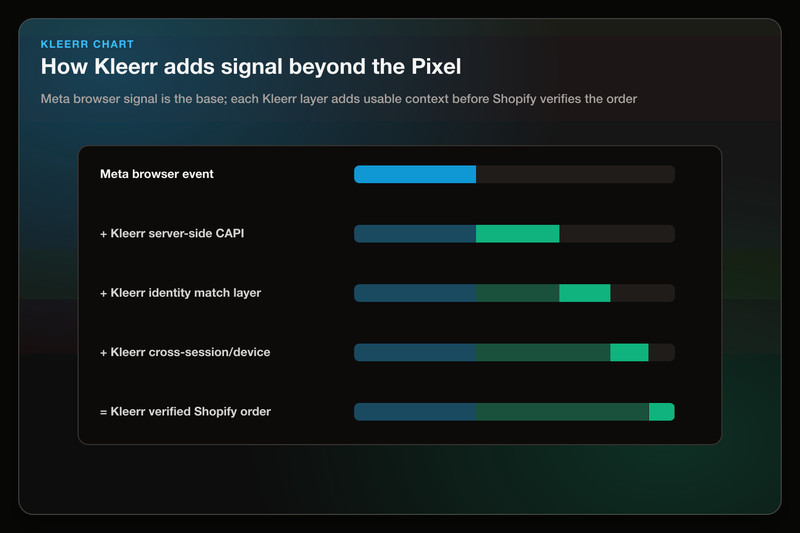
The payoff is Kleerr's identity lookup. When an event fires, Kleerr checks whether that shopper has visited before. If they have, Kleerr recognizes them, ties the event back to the earlier sessions they came from, and sends richer signals to the ad platforms. More complete server-side conversion data gives the platforms more to learn from, so their optimization works off real orders instead of partial browser data.
Because the match is deterministic, the signal Kleerr sends is grounded in verified Shopify orders, not modeled guesses. That is the difference between feeding a platform cleaner data and feeding it data you can defend.
What should you track on the server first?
Track the events that change money decisions first: purchases, refunds, lead submissions, checkout steps, email capture, ad click IDs, UTMs, and source history. Do not start by moving every tag server side. Start with the events that decide budget, CAC, ROAS, suppression, and customer quality.
For Shopify DTC brands, the priority list is clear:
| Track first | Why it matters |
|---|---|
| Purchase events | ROAS, CAC, revenue reconciliation |
| Refunds and cancellations | Net revenue and customer quality |
| Checkout started | Funnel loss and retargeting logic |
| Email and SMS opt-ins | Owned-channel reachability |
| Click IDs and UTMs | Source recovery and campaign matching |
| Referrer and session history | Direct, Unassigned, and journey repair |
| New vs. repeat customer state | Cleaner acquisition and suppression decisions |
| LTV and order history | Better audience seeds and buyer quality |
The mistake is treating server side tracking as a tag migration. It is a data contract. Decide what each event means, where it comes from, how it is consented, and which decision it supports.
What can server side tracking fix, and what can it not fix?
Server side tracking can improve data control, event routing, and collection resilience, but it cannot prove incrementality by itself. It does not make every conversion real, solve consent, or tell you which platform claim deserves budget. You still need order reconciliation and a decision layer.
| Server side tracking can help with | It cannot do alone |
|---|---|
| Cleaner event payloads | Prove an ad caused the order |
| More controlled routing | Replace consent management |
| Better first-party collection setup | Make platform-reported ROAS true |
| Backend purchase and refund capture | Decide budget without order reconciliation |
| Reduced duplicate or noisy event sending | Replace incrementality testing |
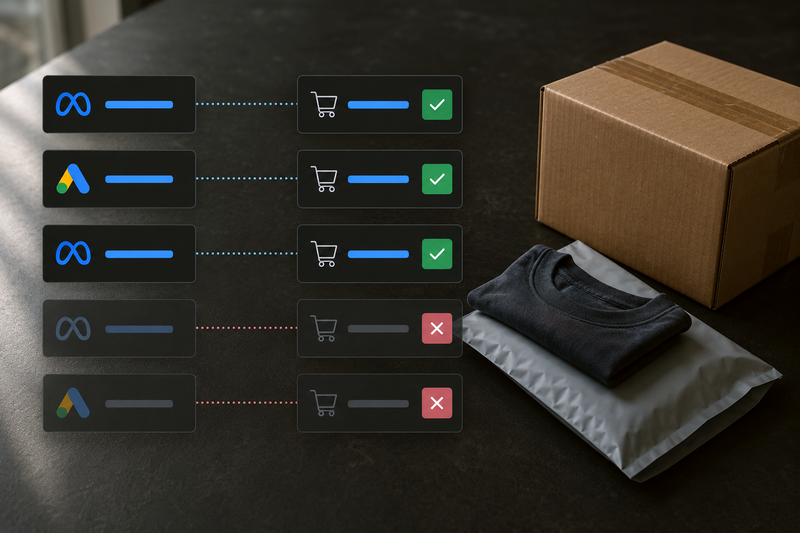
This is where verified attribution matters. The event stream is the input. The verified read tells you which platform-claimed revenue matched real ecommerce revenue, then points the team toward the budget or audience action.
How should Shopify teams evaluate server side tracking tools?
Shopify teams should evaluate server side tracking by the decision it improves, not by the tag architecture alone. The best question is not whether events reached another endpoint. It is whether the setup reconciles platform claims against real orders, preserves source data, and turns the result into action.
Use this checklist:
| Question | Why it matters |
|---|---|
| Does it reconcile ad claims against Shopify orders? | Budget should follow completed orders, not self-reported platform credit |
| Can it preserve source history? | Direct and Unassigned traffic can hide demand |
| Does it separate event sending from reporting truth? | Sending conversions back is not the same as trusting platform ROAS |
| Can it support suppression and audience hygiene? | You do not want paid media chasing buyers you already own |
| Can your team audit what was sent? | Black-box tracking creates trust problems |
| Does setup require a data team? | Most mid-market Shopify teams need the answer without a warehouse project |
Our take: server side tracking is only useful when it leads to a verified revenue decision. Cleaner events should help you decide which channel gets the next dollar, which buyers to suppress, and which platform claims deserve trust.
What are common server side tracking questions? (FAQ)
Most server side tracking questions come down to scope, setup, privacy, and payoff. Server-side collection can improve the quality and control of event data, but the setup still needs clean event mapping, consent handling, and order reconciliation before it can support real budget decisions.
Is server side tracking the same as server-side tagging?
They are close. "Server side tracking" is the broader measurement idea. "Server-side tagging" often refers to the tag management setup, such as a Google Tag Manager server container.
Does server side tracking replace GA4?
No. GA4 can still be the analytics destination. GA4 server-side tracking changes how events get processed before they reach GA4.
Does server side tracking replace the browser pixel?
No. A server-side setup still needs a way to collect web events, source data, consent state, and IDs. The browser often starts the event. The server controls what happens next.
Is server side tracking legal?
Server side tracking is not a privacy shortcut. Consent, disclosure, and data minimization still matter. Google documents consent defaults and consent updates for sites using Google tags (Google Consent Mode guide).
Should Shopify brands use GA4 Measurement Protocol?
Use it for the right events. Google says Measurement Protocol can send events directly to Google Analytics servers, including server-to-server and offline interactions, but it should supplement automatic collection methods (GA4 Measurement Protocol docs).
What is the biggest server side tracking mistake?
The biggest mistake is measuring implementation success by whether tags fire. A better test is whether the setup changes a real decision: budget, CAC, suppression, source recovery, or customer quality.
Want to see which orders your tracking is missing?
Before you rebuild your tracking stack, compare platform-reported revenue against verified Shopify orders. Server side tracking can improve the event stream, but the business question is still the same: which channel got credit, which orders were real, and what should your team change next?
Kleerr can help Shopify DTC teams see where source data is missing, where ROAS is self-reported vs. verified, and which budget or audience move deserves attention next.
If your team wants the tracking gap translated into a budget decision, book an ecommerce demo.
About the author
Daniel Pisterzi owns Kleerr's content brief and writes for Kleerr on marketing analytics for Shopify DTC teams. His work focuses on verified attribution, signal recovery, and the practical budget decisions growth teams make when platform-reported revenue does not match real ecommerce orders.